
CLIProxyAPI Plus
English | Chinese
This is the Plus version of CLIProxyAPI, adding support for third-party providers on top of the mainline project.
All third-party provider support is maintained by community contributors; CLIProxyAPI does not provide technical support. Please contact the corresponding community maintainer if you need assistance.
The Plus release stays in lockstep with the mainline features.
Differences from the Mainline
New Features (Plus Enhanced)
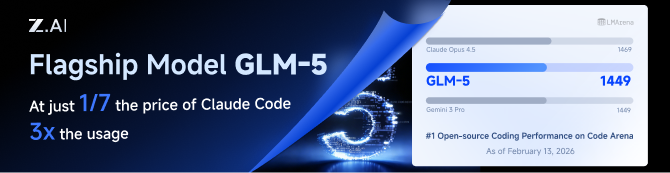
GLM CODING PLAN is a subscription service designed for AI coding, starting at just $10/month. It provides access to their flagship GLM-4.7 & (GLM-5 Only Available for Pro Users)model across 10+ popular AI coding tools (Claude Code, Cline, Roo Code, etc.), offering developers top-tier, fast, and stable coding experiences.
Kiro Authentication
CLI Login
Note: Google/GitHub login is not available for third-party applications due to AWS Cognito restrictions.
AWS Builder ID (recommended):
# Device code flow
./CLIProxyAPI --kiro-aws-login

# Authorization code flow
./CLIProxyAPI --kiro-aws-authcode
Import token from Kiro IDE:
./CLIProxyAPI --kiro-import
To get a token from Kiro IDE:
- Open Kiro IDE and login with Google (or GitHub)
- Find the token file:
~/.kiro/kiro-auth-token.json - Run:
./CLIProxyAPI --kiro-import
AWS IAM Identity Center (IDC):
./CLIProxyAPI --kiro-idc-login --kiro-idc-start-url https://d-xxxxxxxxxx.awsapps.com/start

# Specify region
./CLIProxyAPI --kiro-idc-login --kiro-idc-start-url https://d-xxxxxxxxxx.awsapps.com/start --kiro-idc-region us-west-2
Additional flags:
| Flag | Description |
|---|---|
--no-browser |
Don't open browser automatically, print URL instead |
--no-incognito |
Use existing browser session (Kiro defaults to incognito). Useful for corporate SSO that requires an authenticated browser session |
--kiro-idc-start-url |
IDC Start URL (required with --kiro-idc-login) |
--kiro-idc-region |
IDC region (default: us-east-1) |
--kiro-idc-flow |
IDC flow type: authcode (default) or device |
Web-based OAuth Login
Access the Kiro OAuth web interface at:
http://your-server:8080/v0/oauth/kiro
This provides a browser-based OAuth flow for Kiro (AWS CodeWhisperer) authentication with:
- AWS Builder ID login
- AWS Identity Center (IDC) login
- Token import from Kiro IDE
Quick Deployment with Docker
One-Command Deployment
# Create deployment directory
mkdir -p ~/cli-proxy && cd ~/cli-proxy

# Create docker-compose.yml
cat > docker-compose.yml << 'EOF'
services:
  cli-proxy-api:
    image: eceasy/cli-proxy-api-plus:latest
    container_name: cli-proxy-api-plus
    ports:
      - "8317:8317"
    volumes:
      - ./config.yaml:/CLIProxyAPI/config.yaml
      - ./auths:/root/.cli-proxy-api
      - ./logs:/CLIProxyAPI/logs
    restart: unless-stopped
EOF

# Download example config
curl -o config.yaml https://raw.githubusercontent.com/router-for-me/CLIProxyAPIPlus/main/config.example.yaml

# Pull and start
docker compose pull && docker compose up -d
Configuration
Edit config.yaml before starting:
# Basic configuration example
server:
  port: 8317

# Add your provider configurations here
Update to Latest Version
cd ~/cli-proxy
docker compose pull && docker compose up -d
Contributing
This project only accepts pull requests that relate to third-party provider support. Any pull requests unrelated to third-party provider support will be rejected.
If you need to submit any non-third-party provider changes, please open them against the mainline repository.
License
This project is licensed under the MIT License - see the LICENSE file for details.